

Table of Contents
Why Has Digital Transformation Been Slow in the Apparel Industry?

"DX"
You may have seen this term frequently in newspapers, on television, and in online news.
DX stands for digital transformation. It covers initiatives such as reducing costs, improving productivity, applying web and digital technology to customer behavior and experiences, developing new business models, increasing IT investment, and modernizing systems.
DX is now the hottest topic in the economic world, with the Ministry of Economy, Trade and Industry supporting the promotion of DX in corporate management such as sales, production management, marketing, and customer service through subsidies.
Progress remains slow in some industries. Companies that have long relied on analog workflows and transactions may find it difficult to begin implementation or migration, leaving inefficient processes in place and limiting their teams' ability to focus on creative work.
This trend is especially evident in the apparel industry.
In the workplace, which is required to respond to rapid market changes, it is difficult to allocate resources to DX, and as a result, the majority of companies still conduct transactions using paper documents, from product orders and inventory management to forms such as delivery notes and invoices.
Digital transformation involves more than going paperless. This article focuses on how apparel manufacturers with complex document workflows can digitize paper forms and how that change affects daily operations.
Are Paper Forms and Documents Really Better?
The Apparel Manufacturer's Dilemma
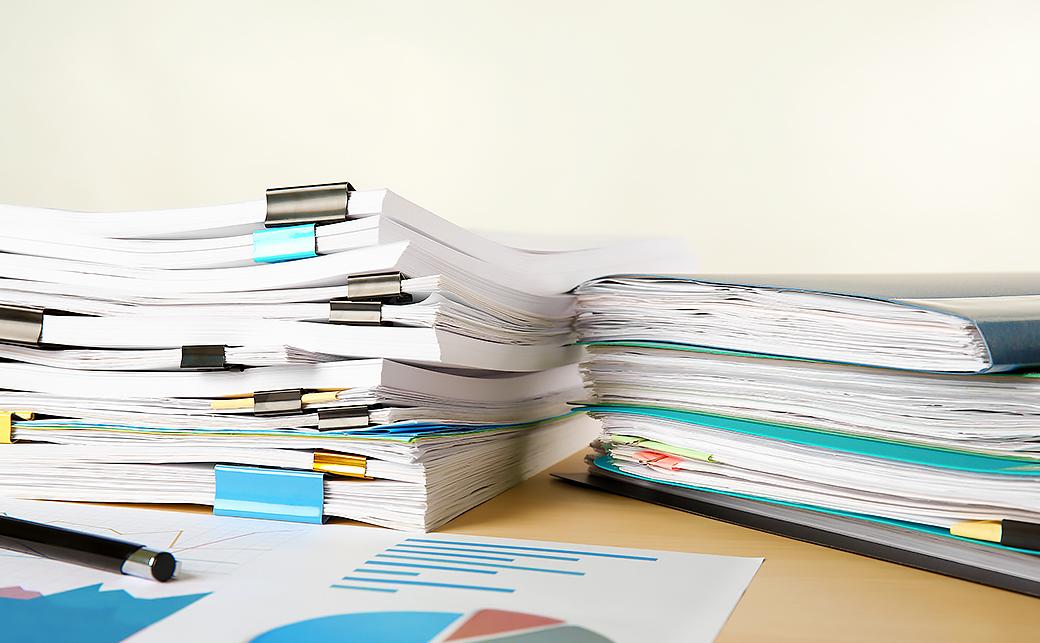
Apparel manufacturers conduct transactions and operations using a wide variety of forms and documents.
- Estimate
- purchase order
- Order Confirmation (Order Confirmation)
- general invoice
- deposit invoice
- balance invoice
- Undelivered list/Unbilled list
- packing list
- picking list
- delivery slip
- Consignment delivery note
- Consignment Purchase Delivery Note
- return slip
- receipt
There are more, but this is a rough list.
Apparel manufacturers trading overseas have complex trade conditions, and in addition to the above, they also prepare a number of documents necessary for export and import procedures, such as commercial invoices and proforma invoices.
From order receipt to delivery, many of these forms are created in Word, Excel, handwritten, etc., and sent to business partners. Order details are frequently changed or corrected, so we rewrite and send them each time. Because each business partner has different rates, transaction terms, and payment terms, separate reports are created and rewritten if there are any changes.
Even if the form is created on a computer, it will eventually be printed and issued on paper. Although the number of faxes has decreased considerably, faxes are still in use.
Furthermore, with the large number of documents issued every day, "storage" becomes an issue.
All forms are stored for 5 to 10 years, so the storage space takes up more and more of the office space every year, taking over the workspace. The cost of collecting, organizing, and filing various forms for each business partner and buyer, as well as the cost of storing them under strict management, is immeasurable.
And so on...
Apparel manufacturers' battle with forms is never ending, and the accounting department and assistants in charge of ordering and placing orders are busy creating countless forms, and they are struggling, even though they are exhausted.
The reason why solutions using IT and the web have not taken root in such complicated operations is not only because of customs and familiarity, but also because, even though they are complicated, there is a high degree of freedom and flexibility that allows them to be rewritten on an ad hoc basis.
Apparel manufacturers have never had a system that is as easy to use as paper and is cost-effective, which is why new paper forms are being created today.
However, a solution to this dilemma finally appears.
Benefits and Drawbacks of Moving Paper Forms Online

Over the past few years, several services have been released that can handle complex apparel operations, from order management and form creation to inventory and payment management, all in one system.
In particular, SaaS and cloud-based back office tools are attracting attention because of their relatively low implementation costs and easy migration.
However, when it comes to creating forms from paper to electronic or online, there are concerns about implementation and migration.
- Your job may suddenly change and you may not be able to keep up.
- Maybe you need to learn new skills?
- What is the cost? What are the monthly costs?
The following sections organize these questions into benefits and drawbacks and explain how the main drawbacks can be addressed.
Benefits
Making Better Use of Time
The advantage of digitization is time.
Once you select a business partner or buyer from a list with registered transaction terms and prices, you can easily create invoices, delivery notes, and other forms necessary for the transaction.
The time spent creating forms, such as filling out, printing, and rewriting them, has been significantly reduced, which means delivery times can be shortened and more time can be allocated to other tasks and customer support. You can also expect to have more time and resources to develop ideas, add value to your business, and improve creativity and motivation.
Reducing Expenses
The cost of purchasing a printer, paper and ink, maintaining storage space, shipping costs, etc. will be reduced to 0 yen. The cost reduction effect of going paperless is enormous. These expenses can be expected to cut costs to the extent that you can even get some change from the maintenance costs of the order management system.
Reducing Administrative Work
As well as time and expenses, the benefit that everyone feels is that creating forms has become overwhelmingly easier.
In particular, back-office tools specialized for apparel operations are popular because they cover all the conditions and items handled in apparel, and they are as flexible as paper tools, allowing for smooth and easy reissuance even if the ordered product or rate changes during the transaction.
Customer information and past transactions can be searched in seconds by entering conditions. This is speed and efficiency that cannot be achieved with paper documents, which you have to go to the storage location and search for. You can expect faster responses to inquiries and improved customer satisfaction.
Skills and Training
With the advent of SaaS for various industries, cloud services for order management, including form creation, have become dramatically easier to use. Just by looking at the screen, you can know what to do next and what task you want to start.
As will be discussed later, back office tools specialized for apparel operations are also fully equipped with reports for overseas transactions and trade operations.
No special skills or training required.
If you have experience with internet shopping or office software, you will be able to get a feel for the operation right away.
The items to be entered are the same as for paper forms, and all the forms necessary for order management are included. As will be discussed later, back office tools specialized for apparel operations are also fully equipped with reports for overseas transactions and trade operations.
Drawbacks
Entering Terms for Each Customer and Buyer
This is arguably the most and only time-consuming task of apparel SaaS.
Unique to apparel transactions, in most cases the transaction conditions differ for each customer, so we register information such as rate, price, brand, product, currency, language, etc. for each customer and buyer.
However, once you enter the information, you can create a form very smoothly from then on. You can reissue it by changing only the parts you want to change when changes are made, which prevents input errors.
Implementation Costs
Digitization of document creation and management is rarely introduced on its own, but is generally included in back-office tools for order management and production management.
Introduction costs and maintenance costs vary depending on function, period, and scale of business. For example, DEXTRE, a back office tool specializing in apparel operations, can be used for 20,000 yen per month with an annual contract. There are no installation or development costs.
What About Data Leaks and Security?
When document creation is digitized or made online, customer and company information and transaction details are stored on the server of the contracted server company. Regular maintenance checks and backups of the system are performed, but it is a concern, especially in the early stages of implementation, if documents that were previously stored within the company become data and are stored and managed outside the company.
Many cloud services and web services, including SaaS, use highly encrypted communications and security measures to prevent users' personal information, such as online information exchange, technical content, and stored data, from being read by external parties.
You can also limit who can view your data with access restrictions, and record who viewed what information and when.
However, it is important to choose a service from a company that has strict standards for development and management systems, which strengthens security in case of emergencies, never neglects internal measures to prevent loss or information leaks.
What Can Electronic Forms Do?
How Are They Different from Paper?

Now, let's take a look at some concrete examples of how to create electronic forms, using SaaS order management tools for apparel businesses.
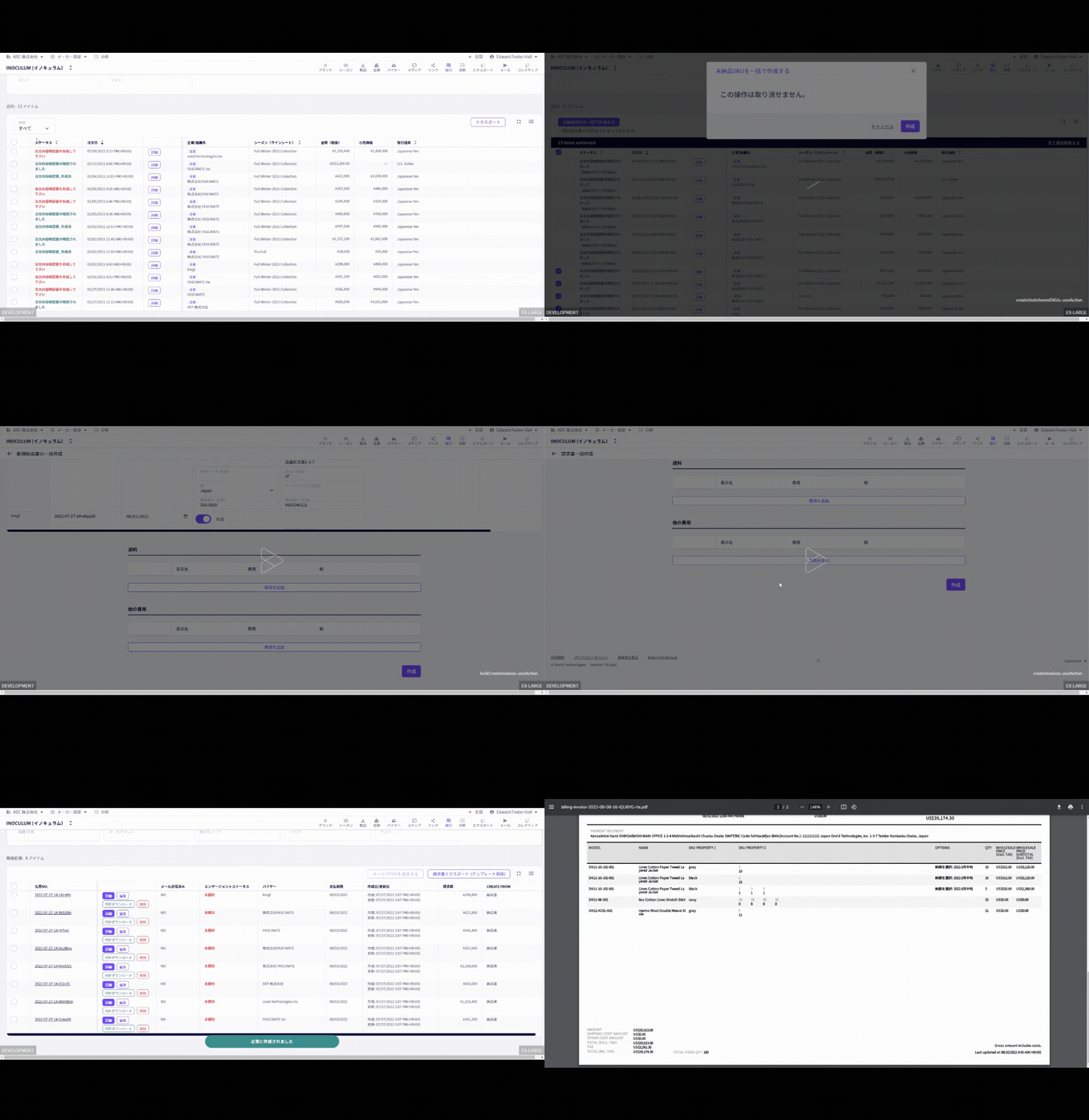
The major difference from creating paper forms is that you can create forms such as invoices, delivery notes, and trade documents in a short time automatically or intuitively with simple operations. Even if you make sudden changes, you can create a new form by changing only the conditions you want to change, such as the product or rate. A history of where and what changes were made is also kept, allowing you to see the flow of the exchange.
Document data is stored on a server and can be created and checked anywhere as long as there is a communication environment.
Forms and Documents You Can Issue
Create various forms using the same tool for product management, order management, and online exhibitions. Back office tools for apparel operations can also create forms tailored to specific commercial transactions and business practices.
All documents are created by automatically applying transaction conditions (multiplication rate, special discount rate for wholesale transactions) and payment conditions (closing payment, advance payment (deposit, etc.)) that differ depending on the business partner or buyer.
- Automatic creation of order confirmation (order confirmation form)
- Edit and reissue order details
- invoice
- Closing payment and deposit invoice
- Create a closing payment invoice based on delivery information
- Creation of invoices from undelivered and unbilled lists
- packing list
- delivery slip
- Credit note (buyer's overpayment management)
- Various invoices such as repair costs and shipping charges (you can add them to the invoice to adjust the amount)
- Save and share change history
One Shared Form Everyone Can View and Understand
By sharing information on form creation with staff and team members, you can see what forms were issued, when and to whom, and what changes were made.
If you can quickly and accurately check the progress of transactions, which was prone to misunderstandings and omissions when creating paper forms that were created and understood individually, you can contribute to creating an environment that fosters smart, high-value-added communication.
Creating Forms and Documents for International Transactions
It also has the ability to create forms and trade documents for domestic transactions as well as export transactions with overseas buyers.
- Multilingual, multicurrency
- Simultaneously issue invoices in multiple languages and currencies for each buyer
- Issuance of commercial invoice based on product information
- packing list
- Proforma invoice for deposit
- Pro forma invoice for balance
These documents can be created by automatically calculating prices that combine the multiplication rate and special discount rate set for each product, trade conditions (FOB, EXW, DDP, etc.), multiple payment currencies, and payment terms.
Summary

In some cases, the shift from analog to digital form creation led to the introduction of order management tools and a review of internal systems, resulting in cost reductions and plans and measures created by new staffing that led to new business development and improved customer satisfaction.
SaaS/cloud back office tools allow you to create forms and manage orders anytime and anywhere. For order management in apparel operations, which previously lacked functionality, tools that support specialized commercial transactions are now available.
The flexibility of being able to freely set detailed conditions according to the actual situation is similar to creating documents on paper, and we have heard that it has made work easier without the stress of using tools.
Accelerate your business growth by taking advantage of the ability to share information and progress with colleagues and customers while working remotely, overseas, or on business trips.
*The functions for creating forms described in the article include functions currently being implemented or scheduled to be implemented in DEXTRE (currently in beta version).
From receiving and placing orders for wholesale transactions
All payments are made in the cloud
Try all features for 30 days
Try it for free